ToDo List Tutorial (Delphi/VCL)
The purpose of this tutorial is to teach you all of the basic techniques you need to get up and running with Data Abstract for Delphi.
You will develop a simple ToDo List sample application to manage task lists for different users.
The sample application will have the following functionality:
- The user can register/log in to the system.
- The user sees his tasks with priority, due dates and description.
- The user can filter his tasks.
- The user can add, edit, and remove tasks.
The final sample application will be quite basic, but by the time it is implemented, you should have a good understanding of using Data Abstract for Delphi.
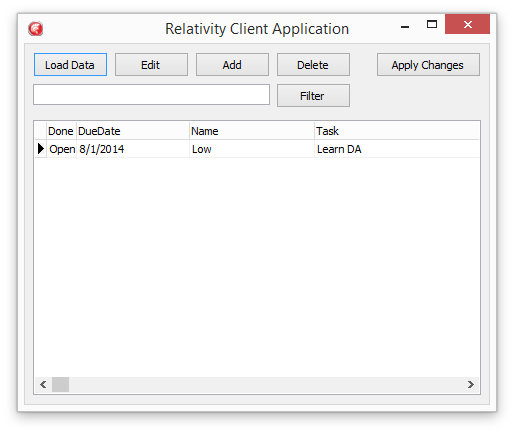
What you will build
The tutorial is a series of small steps grouped into stages. Work through them in order — each stage builds on the previous one.
1 · Set up the middle tier — a Relativity Server domain that exposes the database to clients. The Database · Relativity Server · Schemas · Connections · Defining the Schema · Domain Access
2 · Create the client application — generate the project with the wizard and load your first data. The Application Wizard · Forms · The Data Module · Loading Data
3 · Improve how the data is displayed. Cleaning up the UI · Lookup Fields · Calculating Fields
4 · Edit and secure the data — change existing tasks, apply changes to the server, and use server-side scripting so each user only sees their own tasks. Editing Tasks · Applying Changes · Scripting
5 · Complete the task-management features. Adding Tasks · Deleting Tasks · Filters
When you are done, review the Summary.